A home office can start out looking perfectly organized. Your desk is clear, your supplies are neatly arranged, and everything seems to have a place. Then work gets busy. Papers pile up, cables spread across the desk, and before long, finding a pen feels like a small treasure hunt.
If your workspace has started to feel more stressful than productive, it’s probably time to organize your home office.
The good news is that you don’t need a huge office or expensive furniture to create a better workspace. A few simple changes can make your office easier to use, more comfortable, and much less cluttered.
Here are practical home office organization tips that actually work.
Start by Clearing Your Desk
Your desk is the center of your workspace, so start there.
Remove everything from the surface and sort the items into groups. Keep essential work supplies nearby, move things that belong elsewhere, and get rid of anything you no longer need.
Ask yourself whether each item genuinely needs to stay on your desk.
Your computer, notebook, frequently used stationery, and perhaps a small desk lamp may deserve a permanent spot. Everything else can usually be stored elsewhere.
A clear desk gives you more room to work and makes the entire office feel calmer.
Declutter Before Buying Storage
It’s tempting to buy organizers whenever your office feels messy, but storage won’t solve the problem if you simply have too much stuff.
Go through your paperwork, stationery, books, office supplies, old notebooks, and miscellaneous items.
Recycle unnecessary papers and get rid of dried-out pens, broken accessories, outdated documents, and supplies you never use.
Keep the things that support your current work rather than storing everything “just in case.”
Create a Home for Everything
One of the easiest ways to keep a home office organized is to give every item a specific place.
Pens can live in one container. Important documents can have their own folder. Chargers can stay in a designated drawer. Notebooks can have a shelf.
When something has a clear home, putting it away takes seconds.
Without a designated place, clutter tends to collect on your desk, chair, or floor.
Organize Paperwork Immediately
Paper is one of the biggest sources of office clutter.
Instead of allowing documents to pile up, create a simple filing system.
You might have folders for:
- Bills and financial documents
- Work projects
- Receipts
- Important personal records
- Documents that need action
- Documents to archive
If you receive mostly digital documents, avoid printing things unnecessarily. Keeping important files organized on your computer can dramatically reduce physical clutter.
For papers you need to deal with soon, create an “action” folder so they don’t disappear into a filing cabinet.
Make Your Cables Less Annoying
A desk covered in tangled cables can make even an organized office look messy.
Start by identifying which cables you actually use. Remove old chargers and cords that no longer belong to your devices.
Use cable clips, ties, or a simple cable management box to keep everything under control.
Labeling cables can also be helpful if you have several similar-looking cords.
Try to route cables toward the back of the desk rather than allowing them to hang across your workspace.
A little cable management can make a surprisingly big visual difference.
Use Vertical Wall Space
If your desk and drawers are already full, look at the walls.
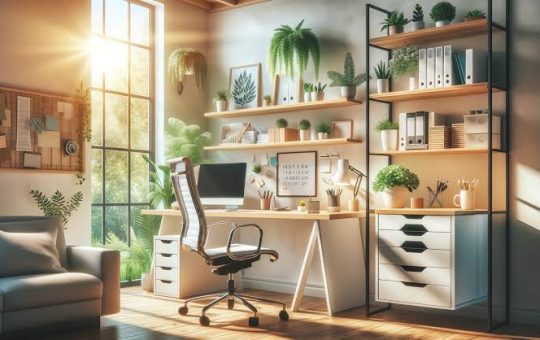
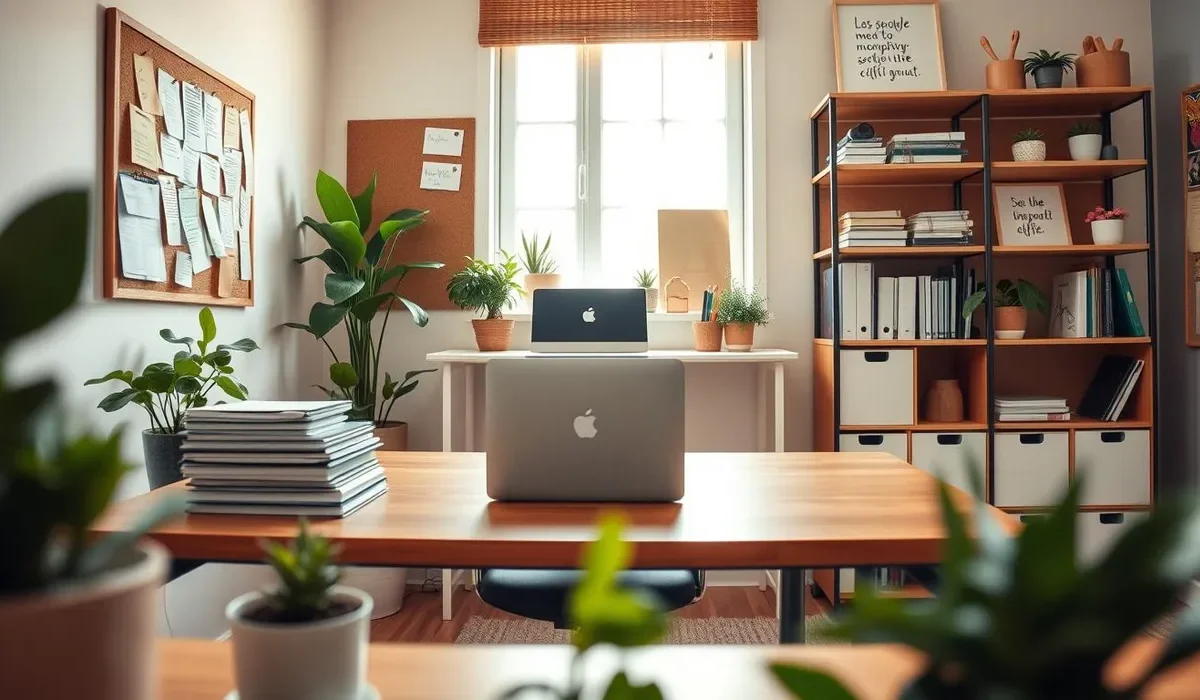
Floating shelves can hold books, office supplies, plants, or decorative items. A pegboard can provide flexible storage for frequently used tools and accessories.
A wall-mounted calendar or planner can also keep important information visible without taking up desk space.
Vertical storage is particularly useful in a small home office because it adds storage without using valuable floor area.
Organize Your Drawers
Office drawers can become cluttered quickly because they’re easy to ignore.
Empty one drawer at a time and remove anything you don’t need. Then group similar supplies together.
Keep pens and pencils in one section, cables in another, and small stationery items in a separate container.
Drawer dividers or small boxes can prevent everything from becoming one large pile.
Don’t worry about making every drawer perfect. The goal is to make it easy to find what you need.
Keep Frequently Used Items Close
Think about the things you reach for throughout the day.
Your most frequently used notebook, pen, headphones, planner, or documents should be within easy reach.
Less frequently used supplies can go in drawers, cabinets, or higher shelves.
This creates a simple “access hierarchy” that makes your workspace more efficient.
You shouldn’t have to stand up five times just to complete one simple task.
Create Separate Work Zones
If your home office serves multiple purposes, divide the space into zones.
For example, your desk can be your computer work area, while a nearby shelf can hold paperwork and office supplies.
If you regularly do creative work, you might create a separate area for craft or design materials.
Having defined zones prevents different types of belongings from mixing together and makes it easier to find what you need.
Keep Your Computer Files Organized
A tidy physical office is only half the job.
Digital clutter can be just as frustrating.
Create clearly named folders for work, personal documents, projects, photos, and other important files.
Delete unnecessary downloads and old duplicates regularly.
Try to use consistent file names so you can find documents quickly when you need them.
If your computer desktop is covered with dozens of random files, moving them into appropriate folders can make your digital workspace feel much cleaner.
Make Your Office Comfortable
Organization isn’t just about where things go. Your workspace should also feel comfortable.
Make sure your chair and desk are at a suitable height. Keep your monitor positioned comfortably and make sure your workspace has enough lighting.
If you spend several hours working at your desk, comfort matters just as much as appearance.
A beautiful office isn’t very useful if you don’t enjoy spending time there.
Add a Little Personality
An organized home office doesn’t have to feel cold or boring.
Add a few things that make the space enjoyable, such as a plant, artwork, photographs, or a favorite desk accessory.
The key is moderation.
Too many decorative items can create visual clutter, especially on a small desk. Choose a few pieces you genuinely like and give them a deliberate place.
Create a Daily Five-Minute Reset
You don’t need to reorganize your entire office every week.
At the end of your workday, spend five minutes resetting the space.
Put pens back in their container, file loose papers, return cups to the kitchen, organize your cables, and clear anything that doesn’t belong on the desk.
This small habit can prevent clutter from building up.
Starting the next morning with a clean workspace also makes it easier to get into work mode.
Reassess Your Setup Regularly
Your work habits can change over time.
Maybe you’ve started using fewer paper documents. Perhaps you’ve bought new equipment or changed the type of work you do.
If your organization system stops working, don’t be afraid to change it.
The best home office organization system is flexible. It should adapt to your needs rather than forcing you to work around it.
Final Thoughts
Learning how to organize a home office doesn’t require expensive furniture or a picture-perfect workspace.
Start by clearing your desk and removing things you don’t need. Then create a home for your essential supplies, organize paperwork, manage cables, use vertical storage, and keep frequently used items within easy reach.
Don’t forget your digital workspace, either. Organized computer files can save just as much time as an organized desk.
Most importantly, keep the system simple enough to maintain. A five-minute reset at the end of each workday can go a long way.
Your home office doesn’t need to look perfect. It simply needs to help you focus, find what you need, and get your work done with less distraction.